
TL;DR
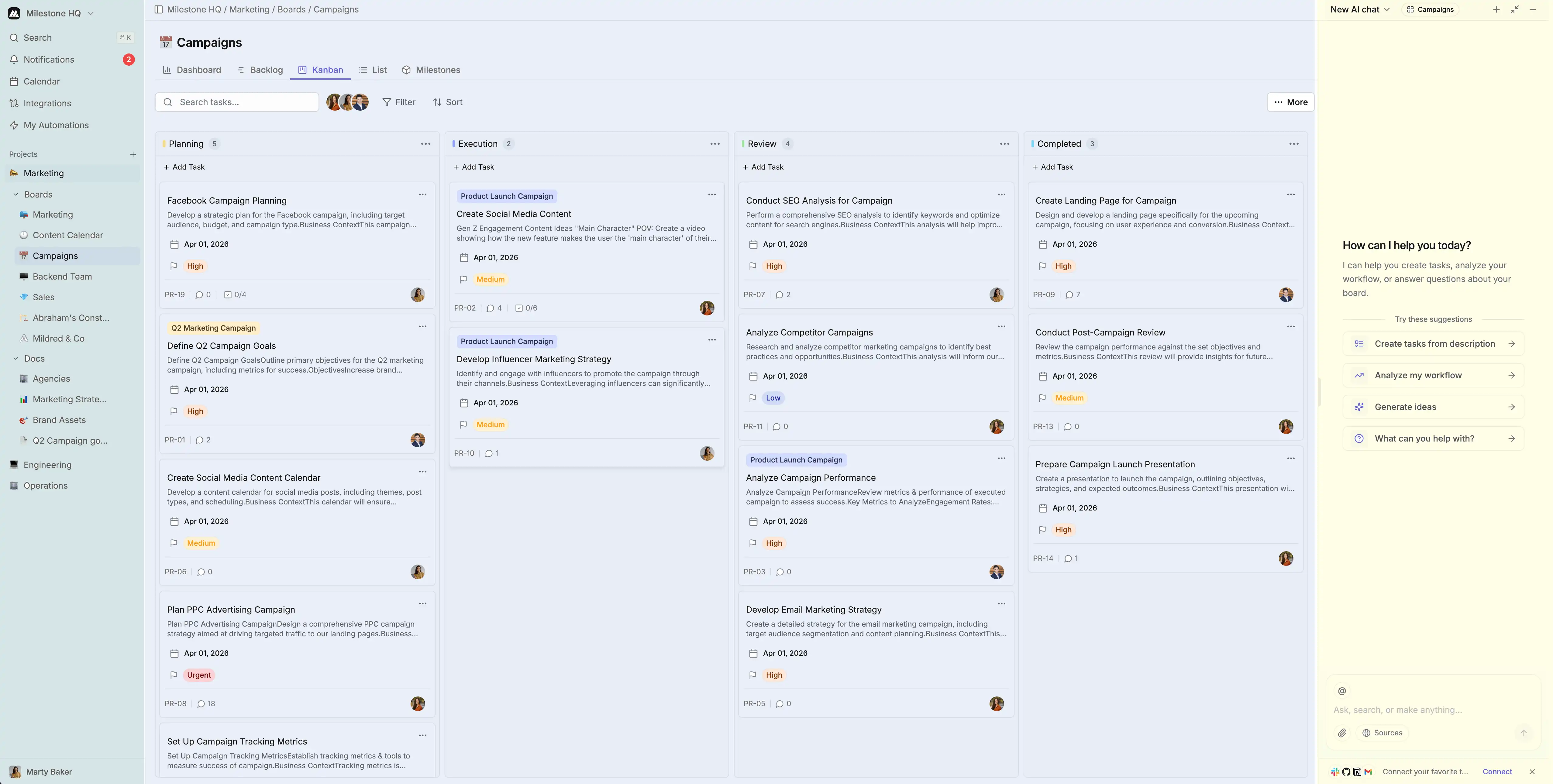
Your workspace is your Milestone homesidebar on the left (projects, settings), main area in the center (board, list, calendar, timeline views), and an AI agent to help with tasks and questions. Use Cmd/Ctrl + K to search and Cmd/Ctrl + N for new tasks.
What is a workspace?
A workspace is your team’s shared space in Milestone. It holds all project boards, tasks, docs, and team settings. Everything you do in Milestone lives inside a workspace.
Prerequisites: You need to be invited to a workspace (or create one) to access it.
Workspace Layout
Sidebar
The left sidebar contains your workspace switcher to switch between workspaces, project list with all your boards and projects, favorites for quick access to starred items, and settings for workspace configuration.
Main Area
The center area displays your work in multiple views: Board view for Kanban-style task management, List view for traditional list layout, Calendar view for tasks by due date, and Timeline view for Gantt-style planning.
AI Agent
Your personal AI agent is always available to help you manage your work more efficiently. Ask it questions about your tasks, request summaries of project progress, or get suggestions for optimizing your workflow. The AI agent understands your workspace context and can help you find information, create tasks, update statuses, and provide insights based on your team's activity.
Next steps
Create your first board, try AI task generation, or use Find Mode (Cmd+K) to search.
Quick Tips
Navigation Tips
Use Cmd/Ctrl + K for quick search and Cmd/Ctrl + N to create new tasks. Click the breadcrumb to navigate back and drag and drop to reorganize your work.
Customization
Personalize your workspace by changing themes and colors, configuring notification preferences, setting default views, and creating custom fields per board.